
Booking by code
Every respawn has its code (120, 62a…). !respawn 120 claims it if it is free; if not, it tells you who has it and how much time is left.
Respawn booking with fair queues, live friend and enemy lists, level ups, deaths, exp ranking and war tools, right inside TeamSpeak and managed from a web panel.
The simulator runs the real bot in your browser: nothing to install and no account needed.
Example of the Friends channel the bot keeps up to date in TeamSpeak and of a death alert in Discord.
Respawns, ranks, queues, lists and servers in one panel, with roles for administrators and moderators. No files to edit.
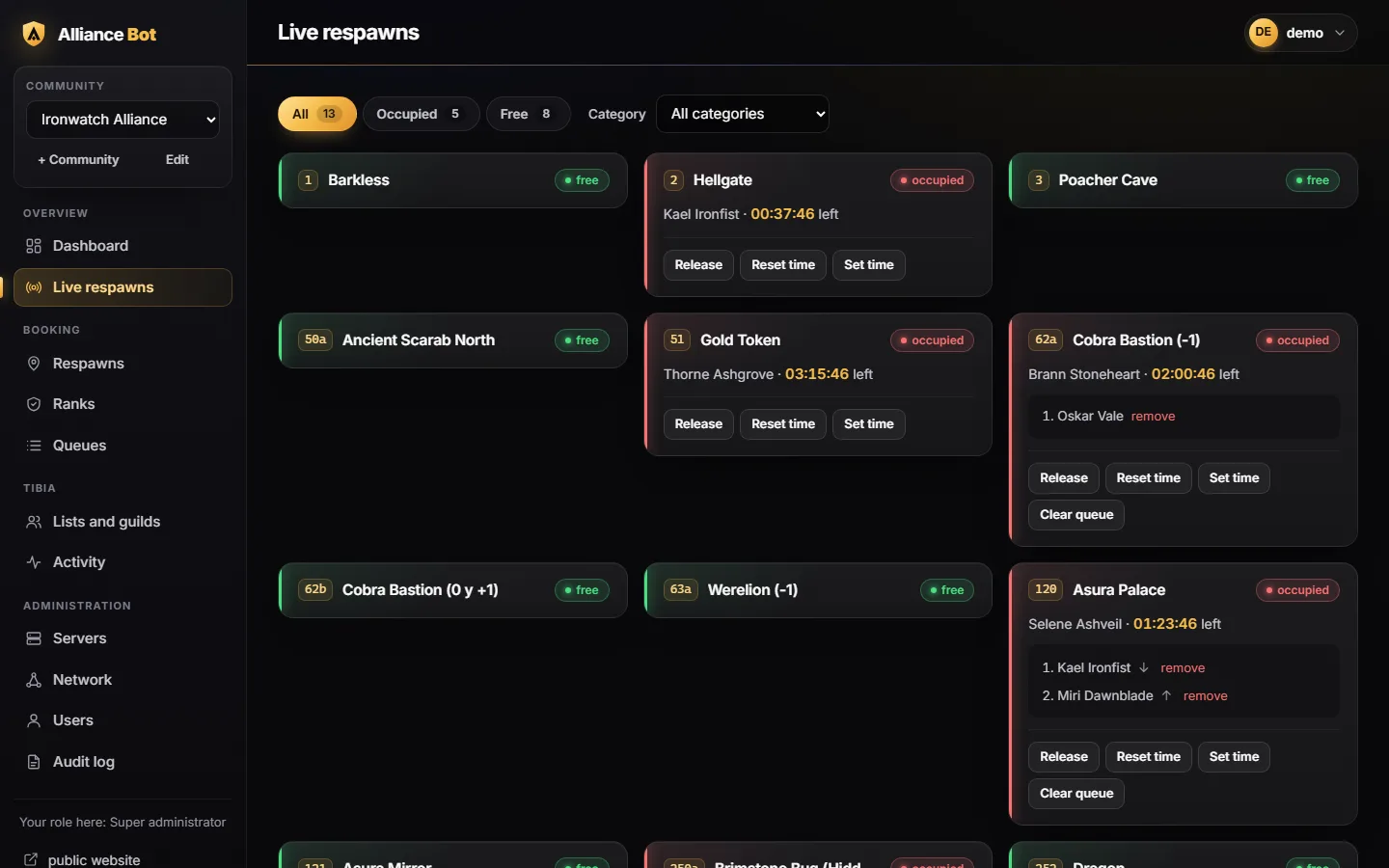
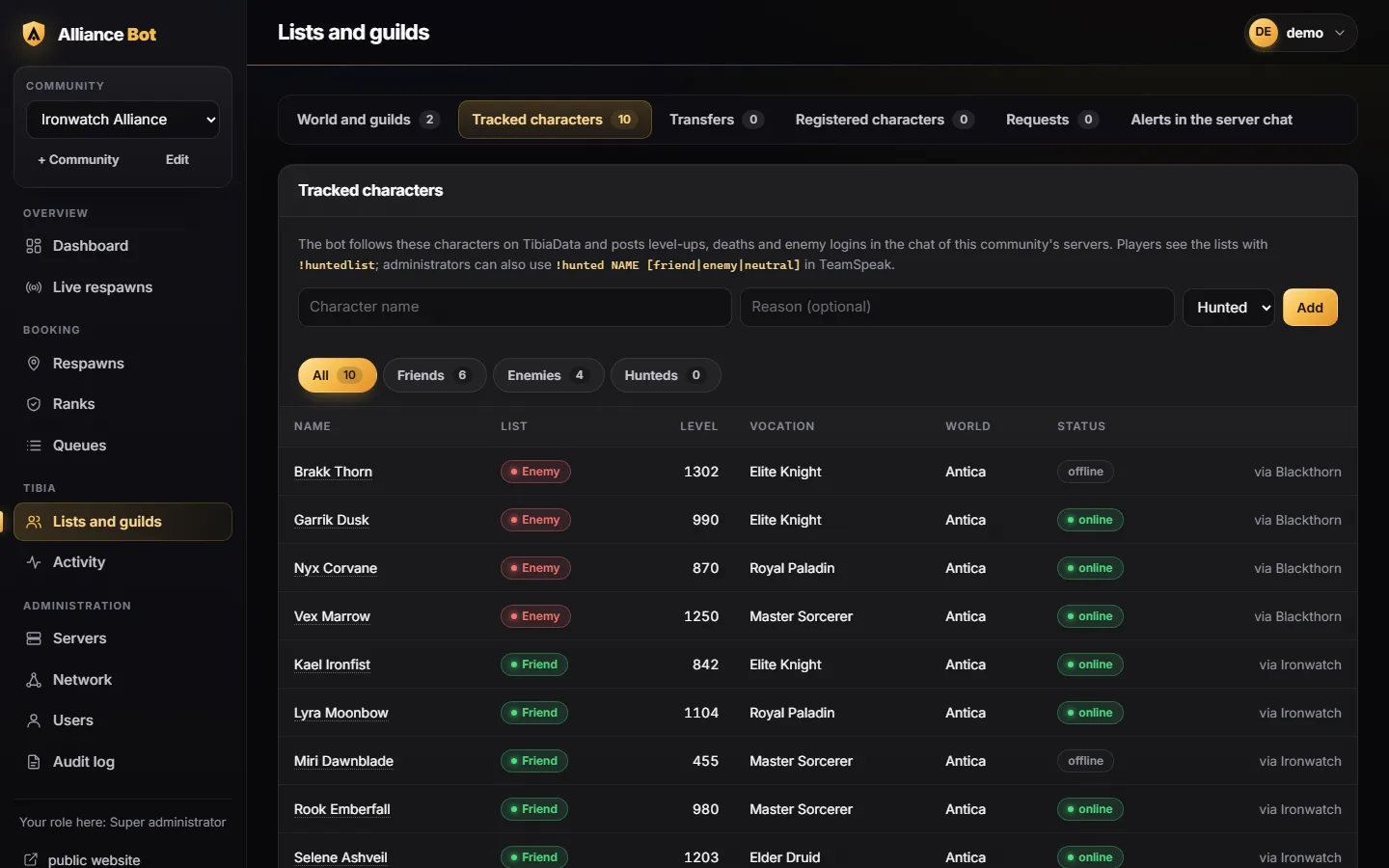
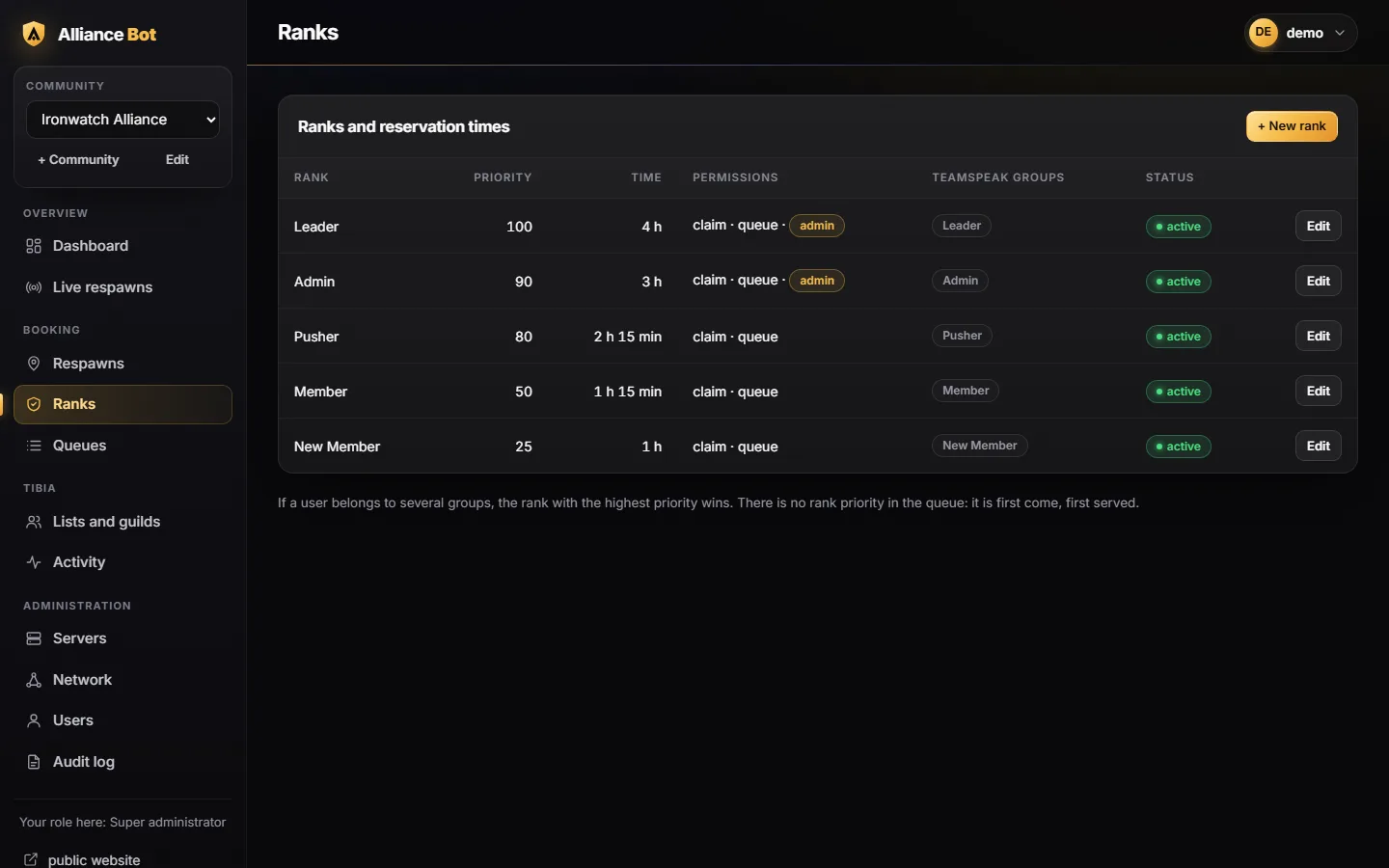
Screenshots of the real panel with a made-up example community.
Built for guilds that share respawns: everyone knows what is free, who is next and how much time is left, without asking in the channel.
Every respawn has its code (120, 62a…). !respawn 120 claims it if it is free; if not, it tells you who has it and how much time is left.
First come, first served. When the respawn becomes free, the next player gets a message and a poke, and only they can claim it for a few minutes. If they do not, it moves on to the next one.
The booking time comes from each player's TeamSpeak groups: a Guild Leader can get 4 hours and a Member 1 hour. Nobody has to state their rank.
The bot keeps a "Respawn List (N)" channel with the occupied respawns, the time left and the queue, and a "Respawn Numbers" channel with every code grouped by city.
Respawns, ranks, times, queues and servers from the browser, with roles for administrators and moderators. No files to edit.
Bookings and queues are stored in the database: a restart loses nothing. It reconnects on its own if TeamSpeak goes down, and ServerQuery passwords are encrypted.
The bot follows Tibia for you: your guild, your allies and your enemies, right inside TeamSpeak.
Friends, Enemies, Hunteds and Neutrals with who is online, their level and vocation, grouped by guild. Add whole guilds and they stay up to date on their own.
Level Ups and Death List channels, plus chat alerts when a friend dies or an enemy logs in. Each alert can be turned off.
Each player puts their main, bomb chars and other worlds in their TeamSpeak description (the generator builds it). The respawn list shows the character they are playing.
Level (1300+), online status and vocation groups, assigned and kept up to date by the bot. Muted players are moved to AFK on their own.
!masspoke and !massmove for wars. Each rank can reach its own rank and the ones below.
Online time and kills per person over the last two months, and global pokes and messages between the servers of your alliance.
All with normal TeamSpeak messages, no buttons or extra programs.
Open the "Respawn List" channel or send !respawns to the bot.
!respawn 62a to claim it. If it is occupied, !queue 62a puts you in the queue; it never queues you on its own.
You get a private message and a poke. You have a few minutes to claim it with !respawn 62a.
!release 62a, or let the time run out: the bot passes the turn to the next player.
[Antica] 2026-11-16 21:04:12 Europe/Madrid
| ID | Respawn | Occupied by | Time | Queue |
|---|---|---|---|---|
| 62a | Cobra Bastion (-1) | Brann | 2h 1m | 0 |
| 120 | Asura Palace | Selene | 1h 24m | 1 |
| 252 | Dragon | Turn: Miri | 4m | 0 |
This is how the channel description looks in the TeamSpeak client. The channel name carries the number of occupied respawns.
Send them privately to the bot or write them in its channel. It always answers privately.
| Command | What it does |
|---|---|
| Respawns | |
!respawn CODE · !r | Claims a free respawn with your rank's time. If it is occupied, it tells you who has it. |
!queue CODE | Puts you at the end of the queue and shows you the whole queue. |
!respnext CODE | Who has the next turn. |
!leavequeue CODE | You leave the queue (if it was your turn, it passes to the next player). |
!release CODE · !leave | You release your respawn early. |
!myqueue | Your respawns, your turns and your queue positions. |
!respawns | Status of every respawn. |
!qremove · !qskip · !qclear · !resettimer | For administrators: remove from the queue, skip a turn, clear the queue, restart the time. |
| Tibia and war | |
!huntedlist · !hunted NAME · !unhunted NAME | Show the hunted list, or add or remove a character. |
!boosted · !rashid | Today's boosted creature and boss, and the city where Rashid is. |
!char NAME | Level, vocation, world and guild of a character. |
!guild add NAME enemy | Add or remove a guild as owner, ally or enemy (administrators). |
!mp TEXT · !mm | Poke everyone, or move everyone to your channel (depends on your rank). |
!gpoke TEXT · !gmsg TEXT | Poke or message every server in the alliance network. |
A simulated TeamSpeak with the real bot: book, queue and fast-forward the clock to see the turns.